Every screen, in the order you would meet it.
These are real screens from a real phone, not drawings. Nothing here is hidden away in a menu; this is the whole app, roughly in the order it happens.
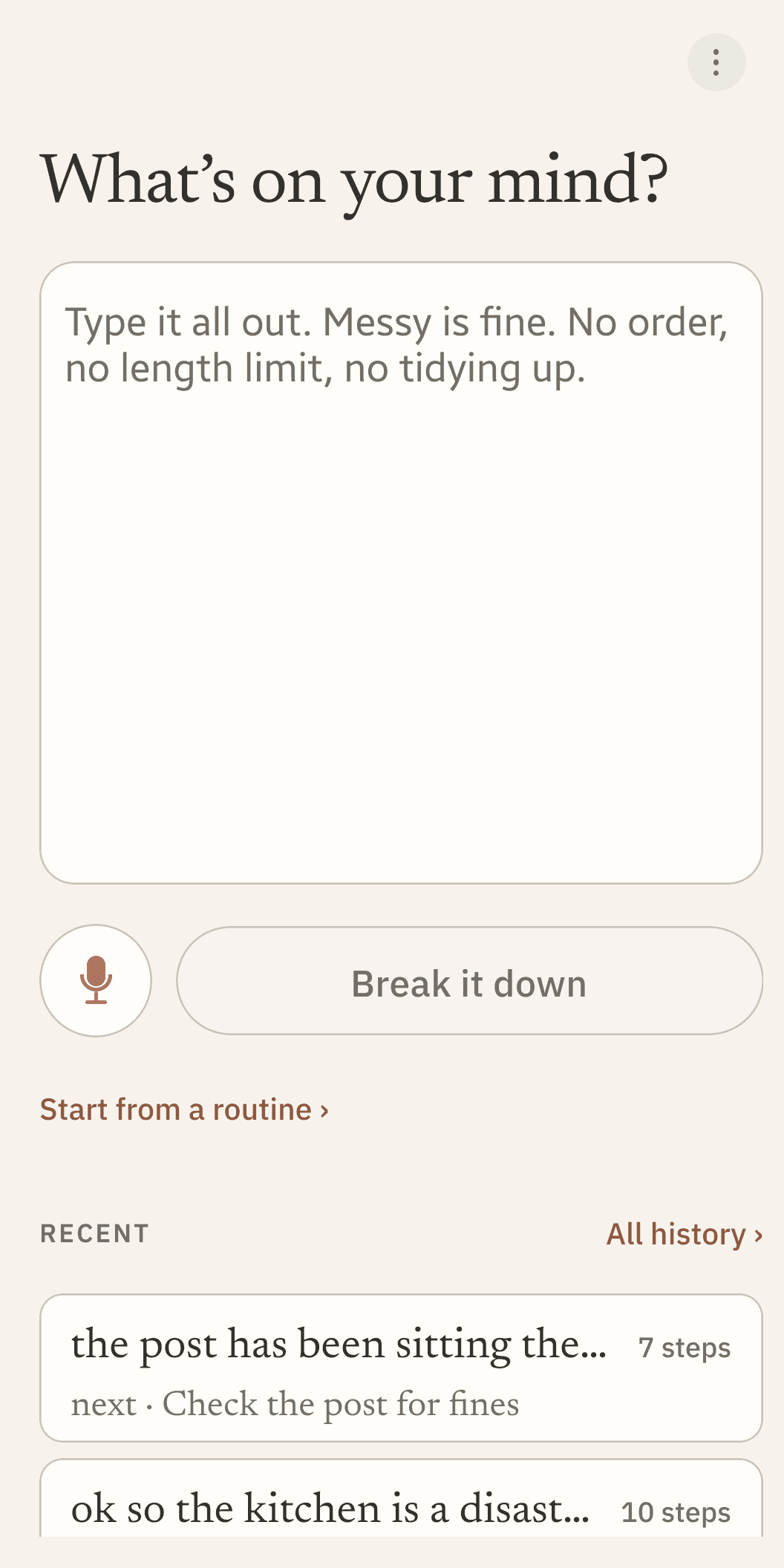
What you see first
No sign-up, no onboarding quiz, no permissions to grant. The app opens on an empty box and waits. There is no length limit and nothing to tidy up first.
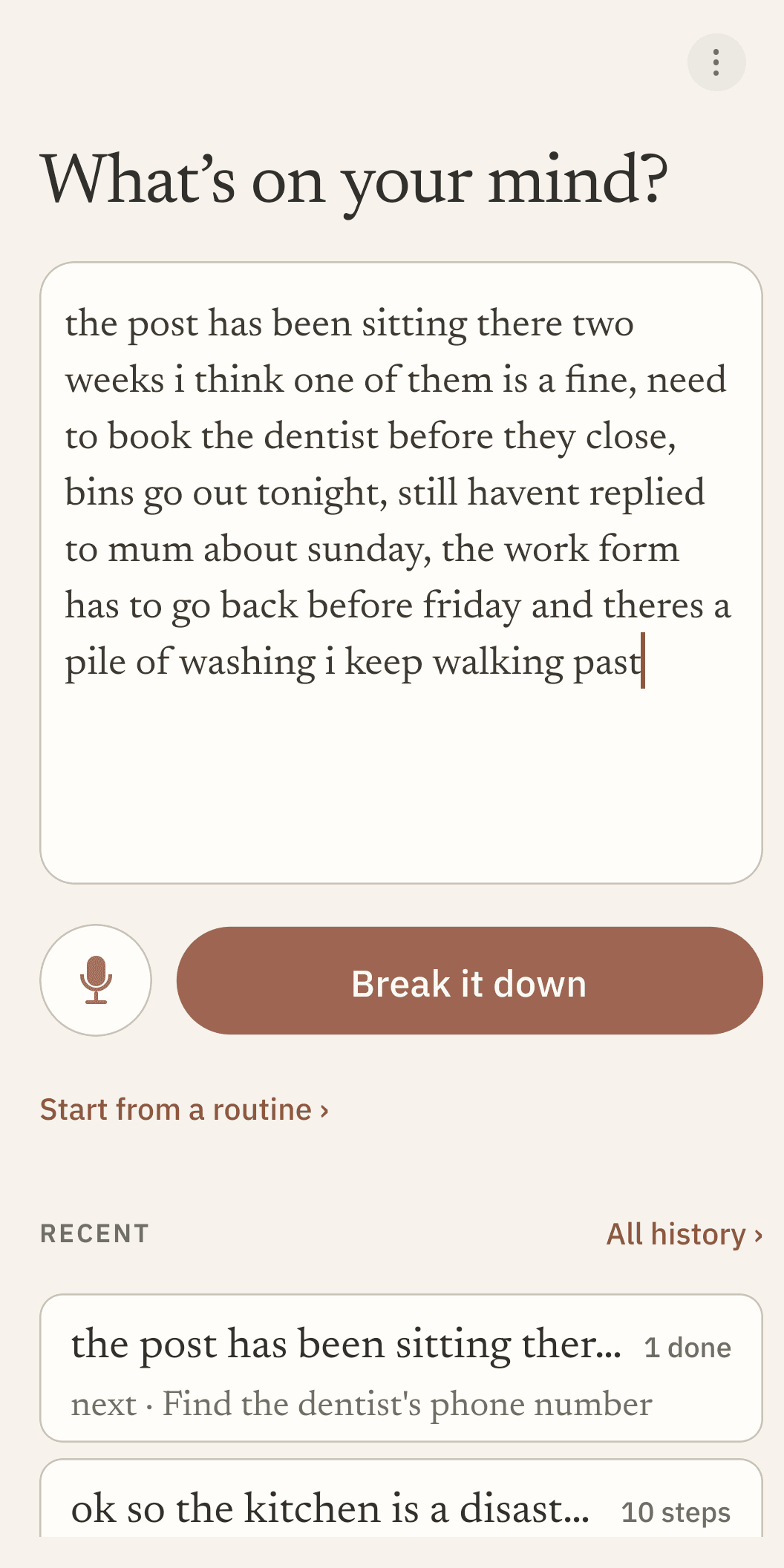
What you put in
One run-on sentence, no order, no capital letters, nothing sorted into categories first. This is the whole input. The tidying up is the app’s job, which is the point: sorting it yourself is the part that was already too hard.
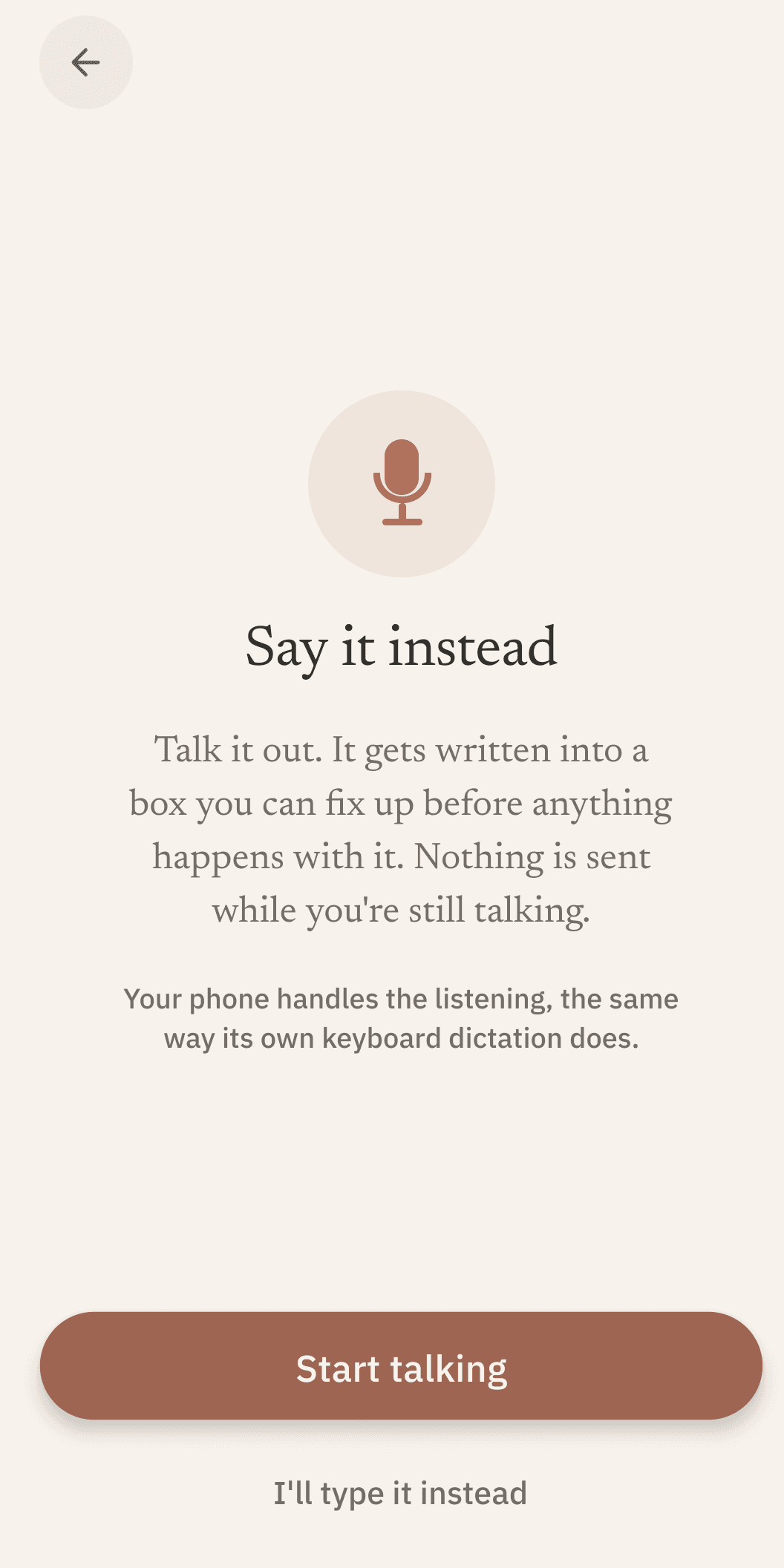
Or say it out loud
Typing is not always the low-energy option. Dictation uses your phone’s own speech recognition, so no audio ever reaches us. What you said lands as editable text, and goes nowhere until you ask for a breakdown.
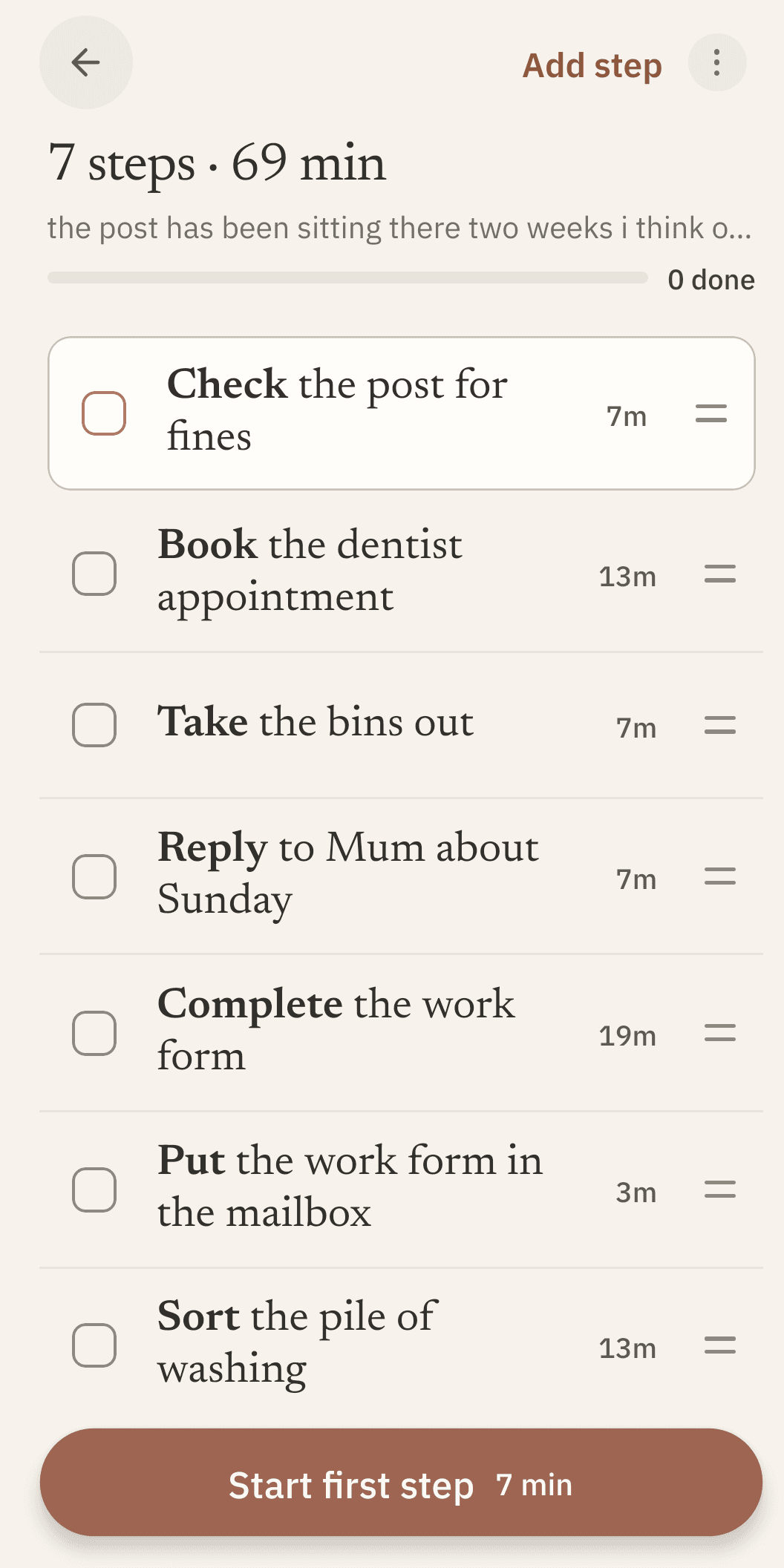
What comes back
A short list of steps you could actually start, each with a time estimate. Every one of them is a plain text field: rewrite any step, drag it anywhere, delete what does not apply. Nothing here is locked.
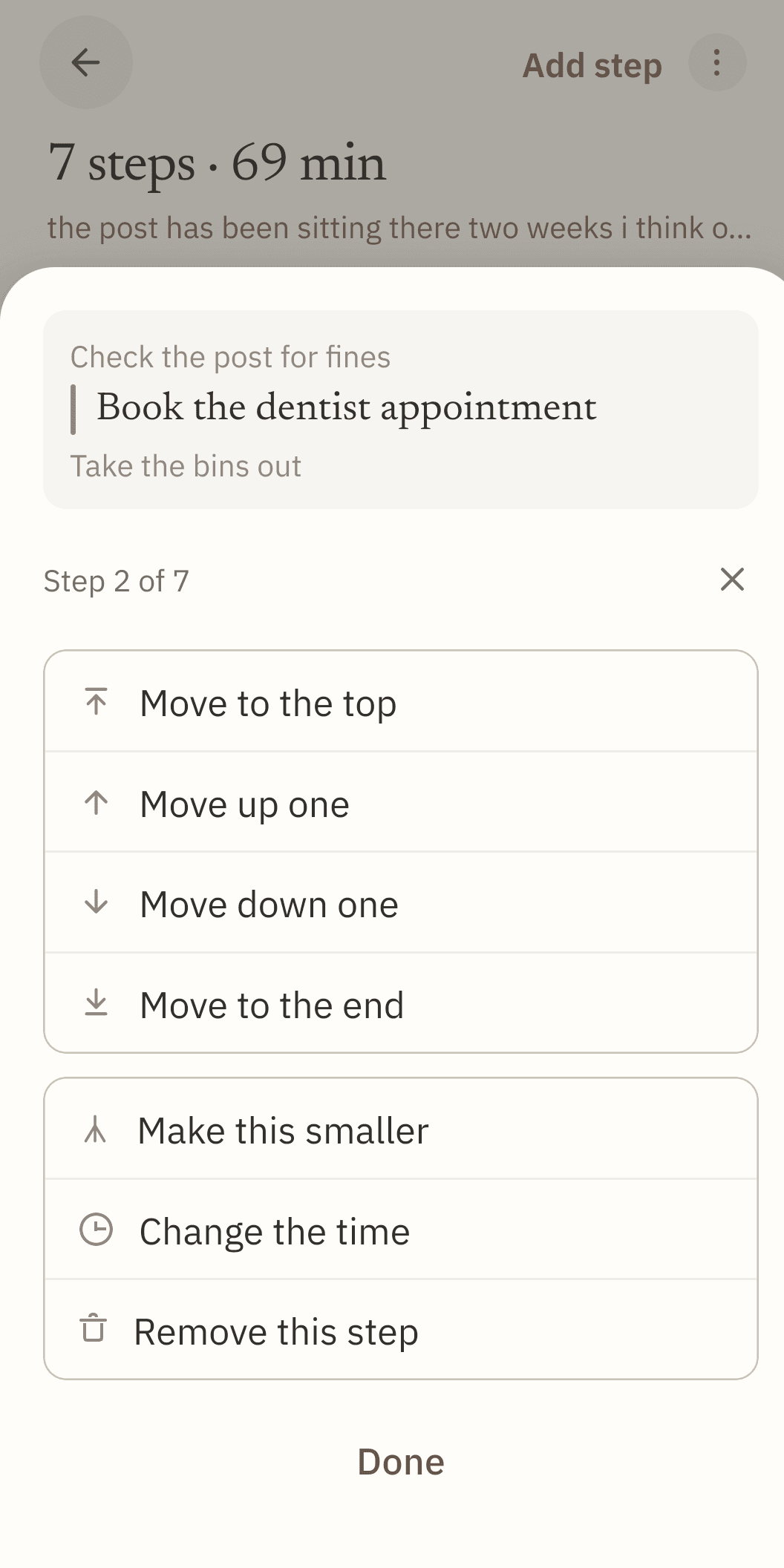
When a step is still too big
Tap the handle beside any step for its menu. Moving a step has plain buttons as well as the drag gesture, so reordering never depends on being able to drag. "Make this smaller" sends that one step back to be broken down again.
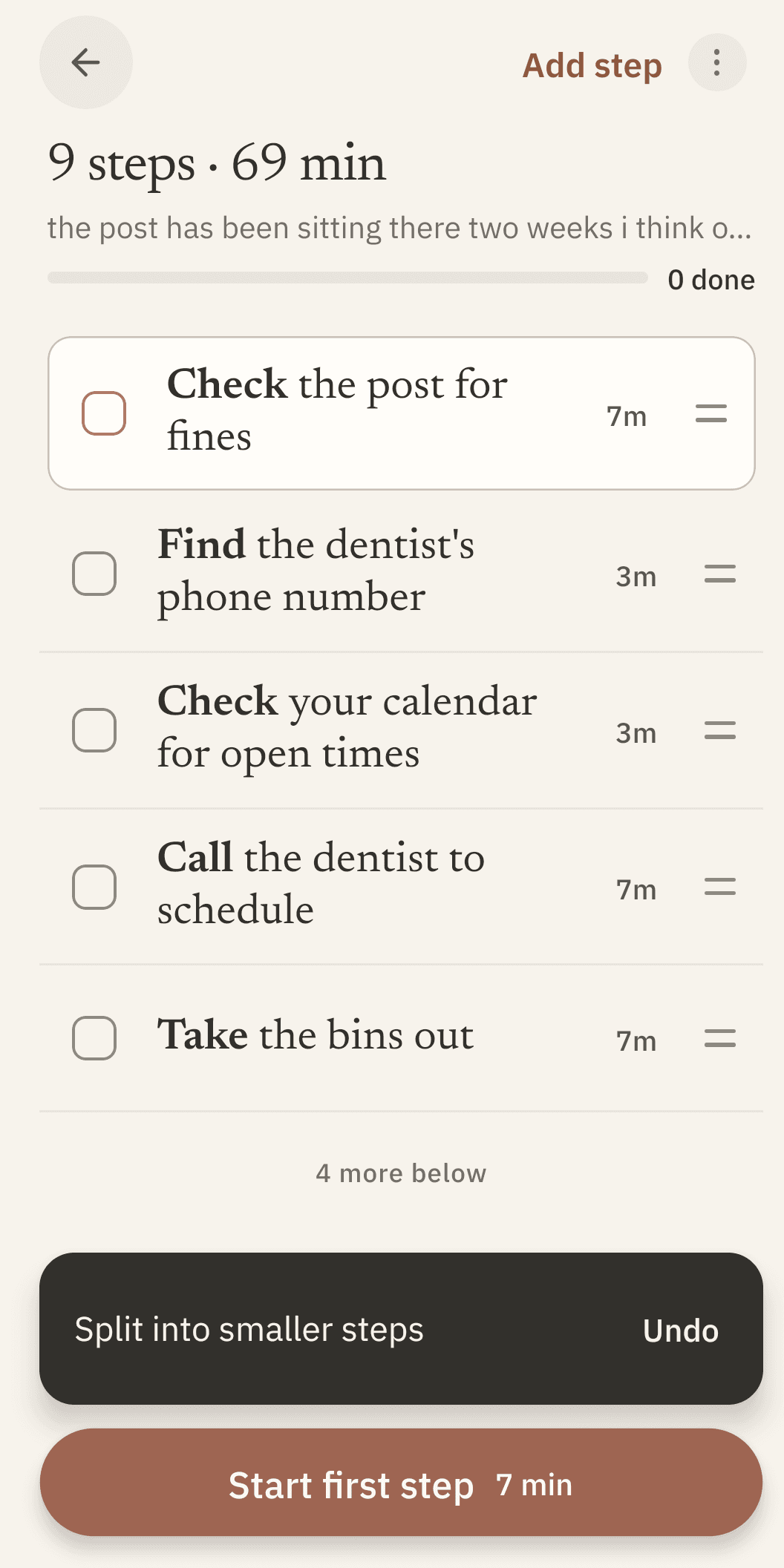
One step becomes three
The step that was blocking you gets replaced by the smaller ones inside it, in place, in the same list. Splitting goes one level deep on purpose, so a list cannot run away from you; if one of the smaller steps is still wrong, edit it directly.
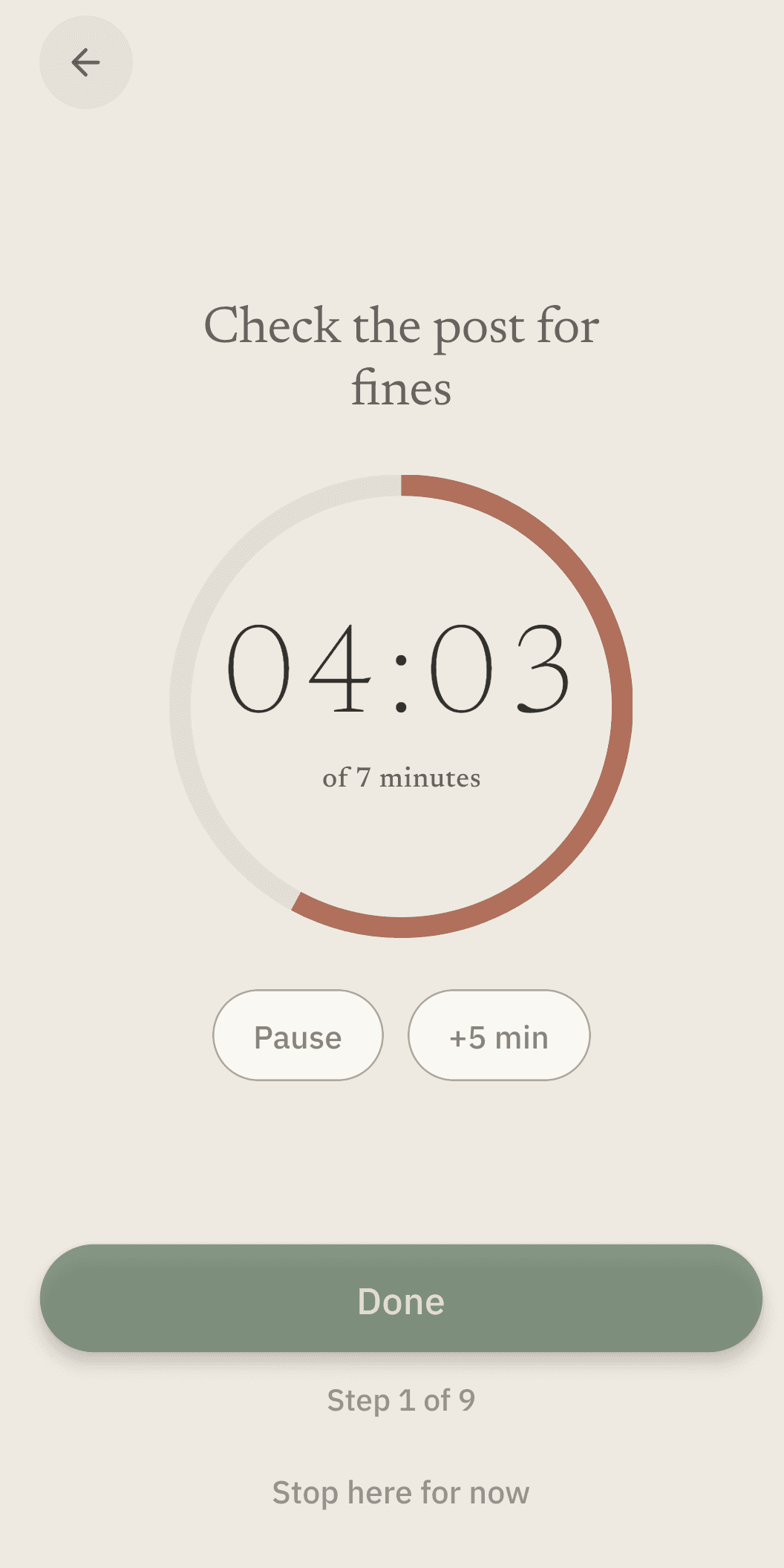
One step at a time
Starting a step gives the next few minutes a shape instead of letting them disappear. It keeps counting while the app is closed, and "Stop here for now" is always there, with no penalty for using it.
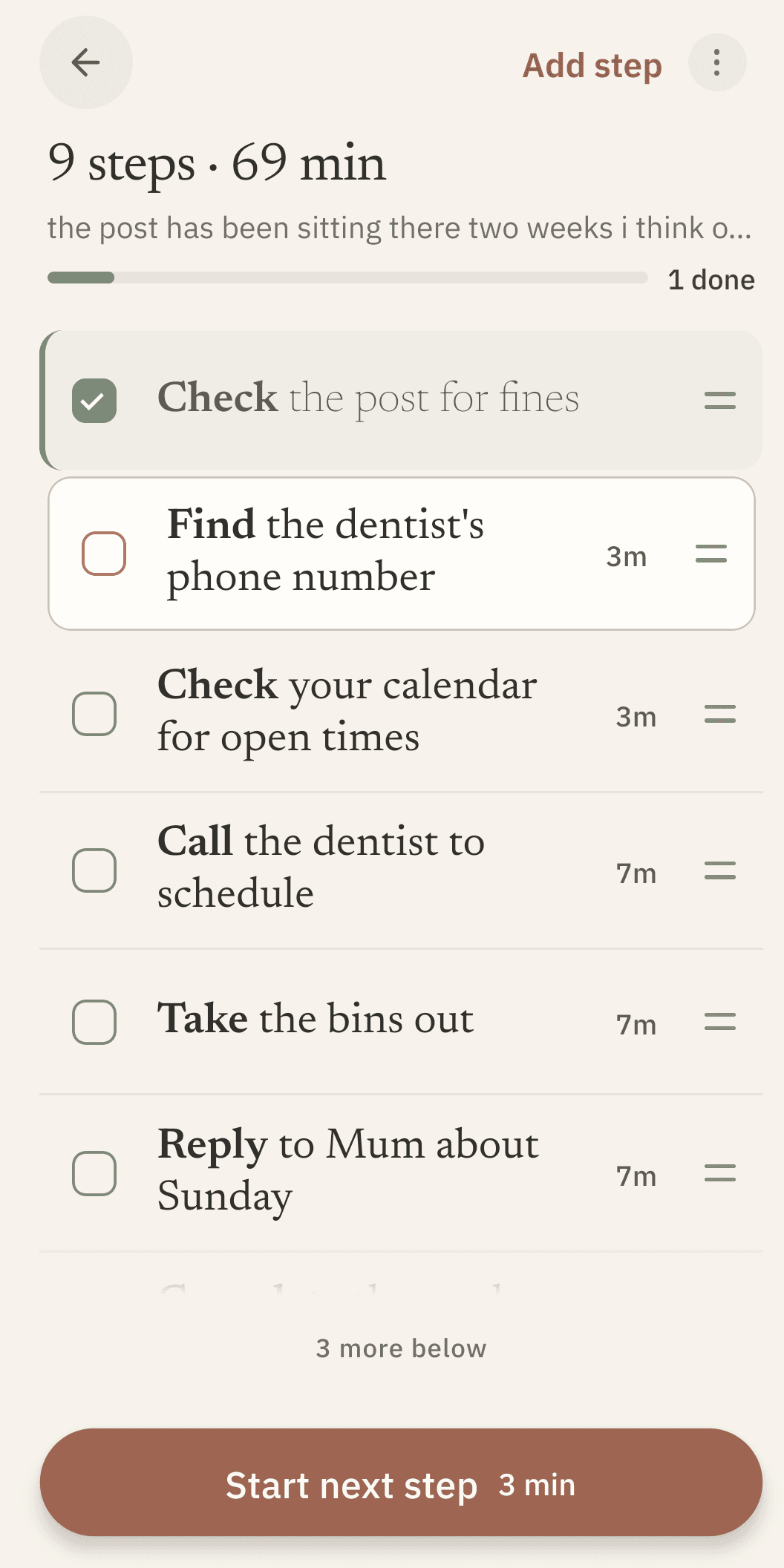
Finishing, quietly
A step goes soft and grey when it is done. There is no streak to break, no red, no points, and nothing that punishes you for a day you skipped. Stopping is not a failure state here.
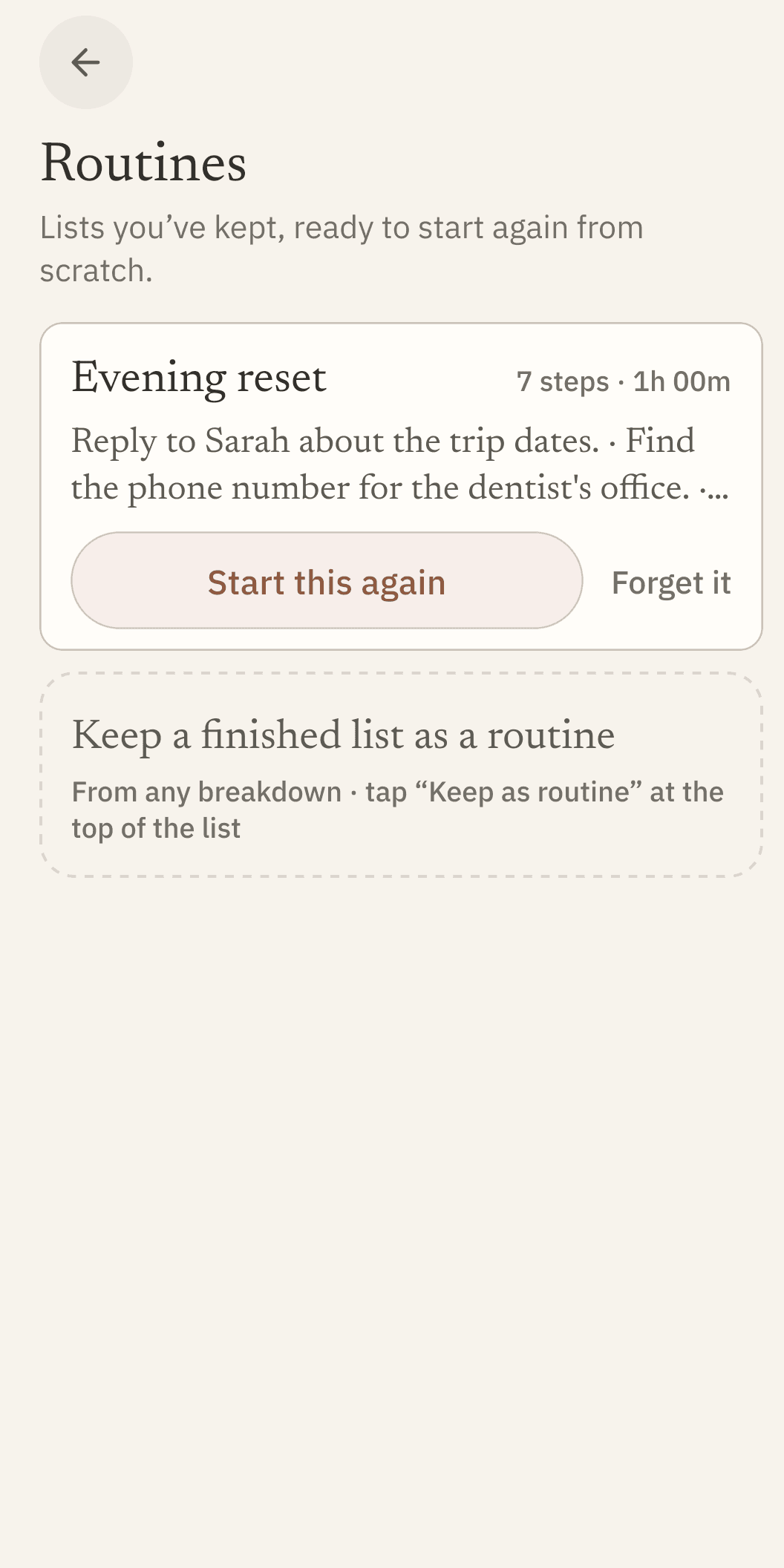
The things you do again
A breakdown you liked can be kept as a routine and restarted from scratch whenever you need it. Starting one copies the steps into a fresh list, so ticking today does not touch the saved version.
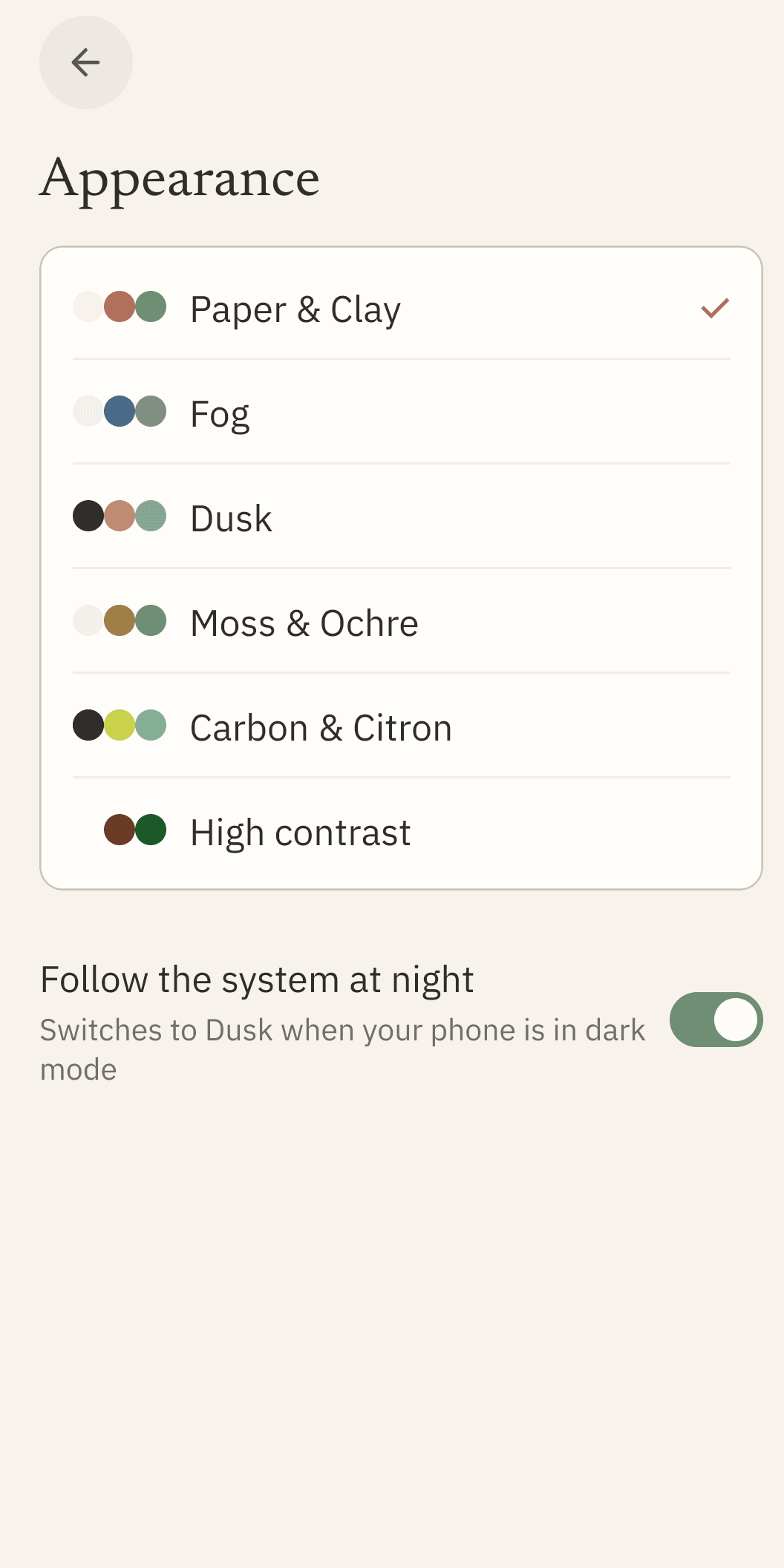
Six ways it can look
Including a high-contrast theme, and Dusk can take over on its own when your phone goes dark. Text size and typeface are yours to set too, in Reading.
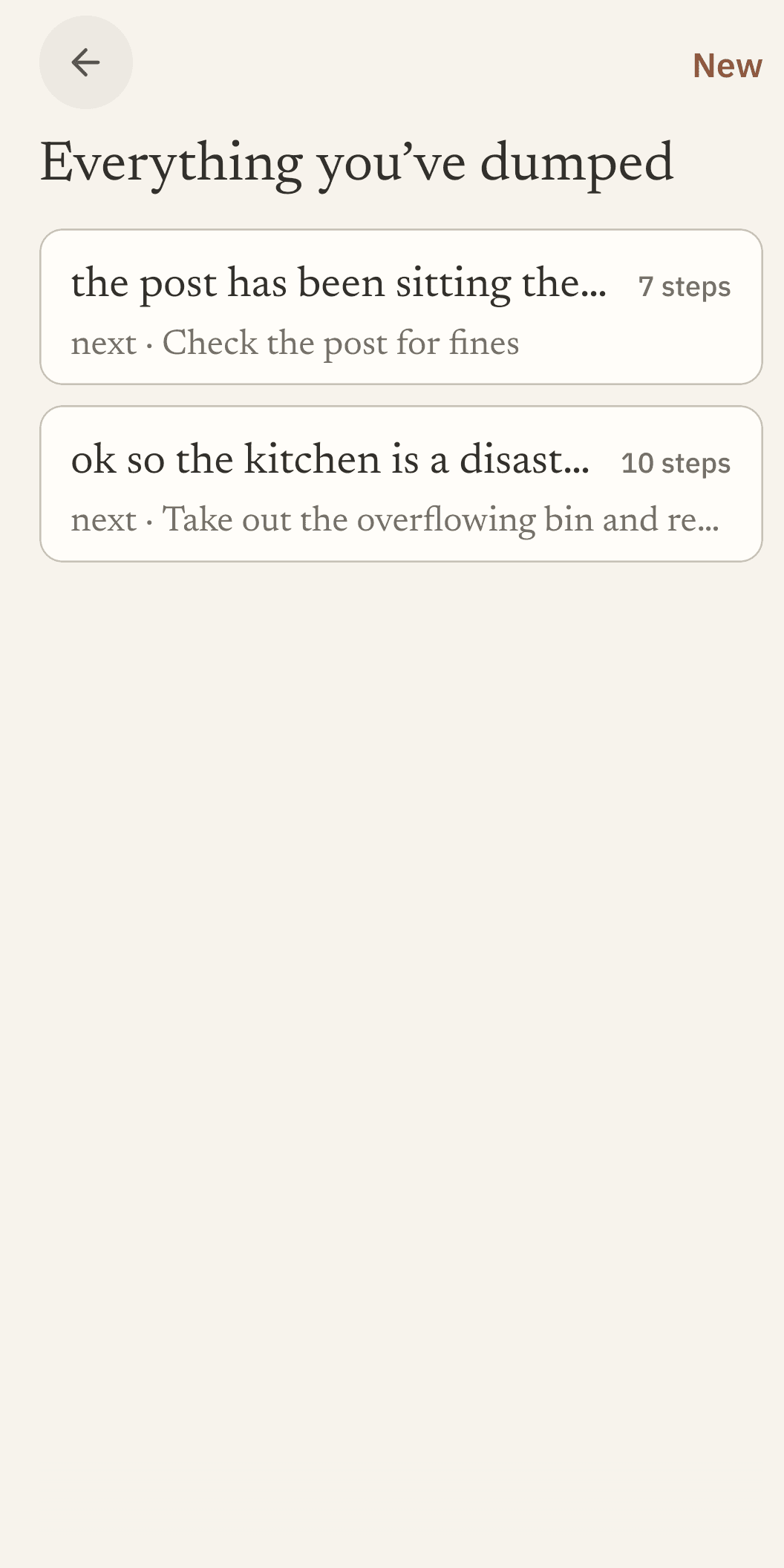
What you already did
Every list you have made is still here, with what you finished on it. It is a record, not a scoreboard: nothing is ranked, nothing is averaged, and an unfinished list is not marked as a failure.
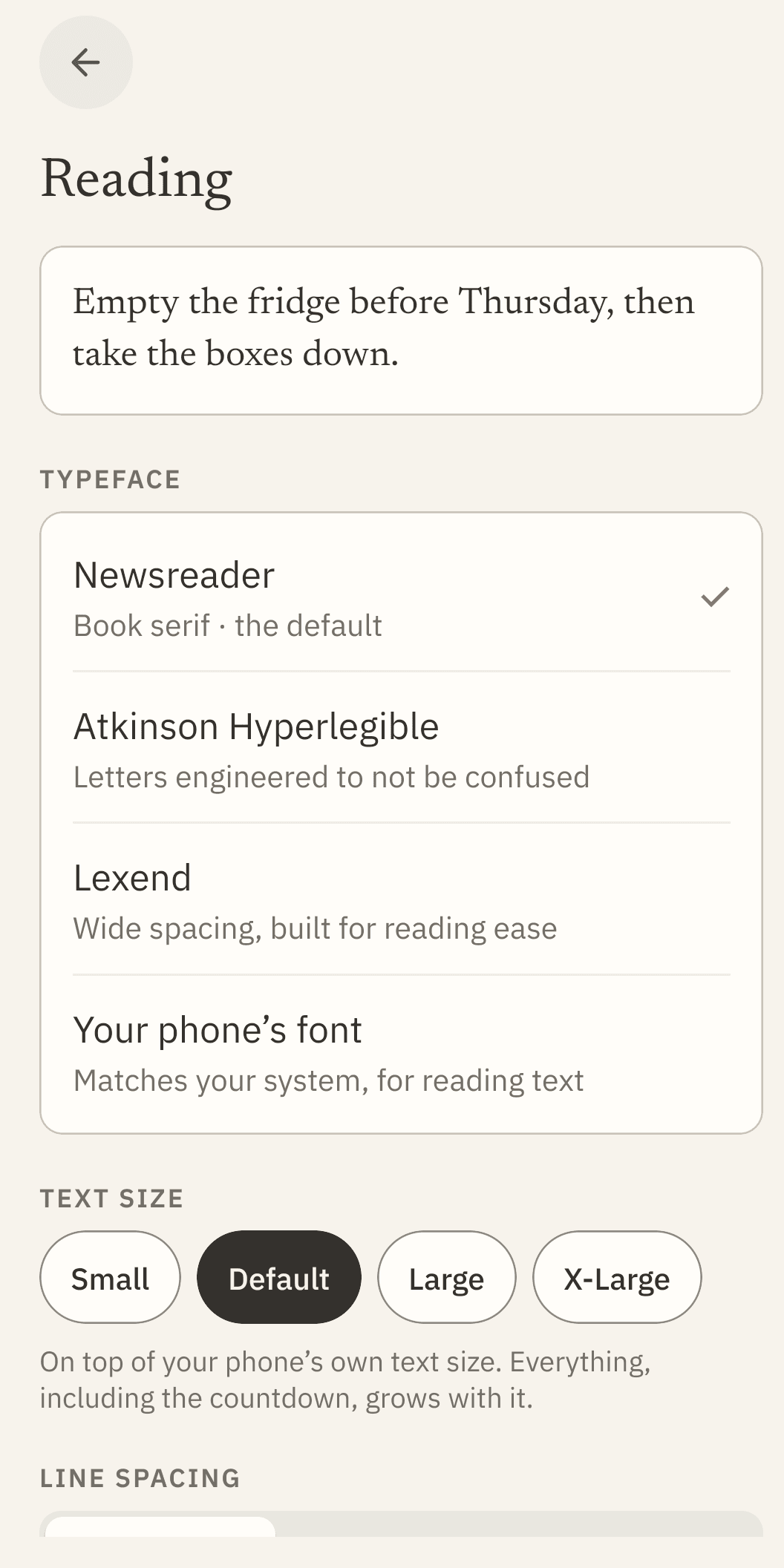
Set it so you can read it
Text size, typeface and line spacing, with a live sample above them so you are not guessing. Four faces, including Atkinson Hyperlegible, which was drawn to keep similar letters from being confused, and your phone’s own font if you already have that set up how you like it.